Superhostem.cz Help Center

Properties and calendars

Airbnb calendar on your phone 📱

Export your reservations as an iCal calendar and keep track of guests, prices and dates directly in Google Calendar, Apple Calendar or another application.

Help Center Previous article Next article →
What awaits you next?

This article explains where to get iCal URLs, what to do with iCal syncs and how to add your calendar to your iPhone, Android or Google Calendar.

How iCal connection works

iCal export serves as a reading calendar link that you insert into external applications. Thanks to this, you can view reservations from Superhost in your phone, computer or shared team calendar.

This export is mainly suitable for overview. iCal alone does not solve the full problem management of reservations or editing of stays in an external calendar.

Read more in the help center

What can be displayed in the calendar

Guest name

You can write the name of the guest in the name of the event so that it comes first look clear who is coming.

Number of guests

It is useful for a quick orientation of how many people are indicated on the reservation.

Booking price

If you turn it on, you will also see the value of the reservation in the calendar event for a quick overview.

Property name

Practical especially when you are viewing one calendar multiple objects at once.

Your iCal URL

You copy and paste this address into Google Calendar, Apple Calendar or other applications that support iCal. If you change the content of the export, copy the new URL again.

How to add Calendars to iPhone

Copy the calendar URL

In Superhost, use the iCal URL copy button to verify that you have the final form of the link according to the selected export content.

Open Settings

Open the app on your iPhone Settings, where they manage system accounts and calendars.

Go to Calendar

In the list of settings, open the Calendar section and continue to account management.

Add an account

Click on Accounts → Add account → Other → Add subscriber calendar.

Paste the URL and save

Paste the copied URL, click on Another one and then on Save. The calendar will start automatically synchronize.

Preview in iPhone Calendar

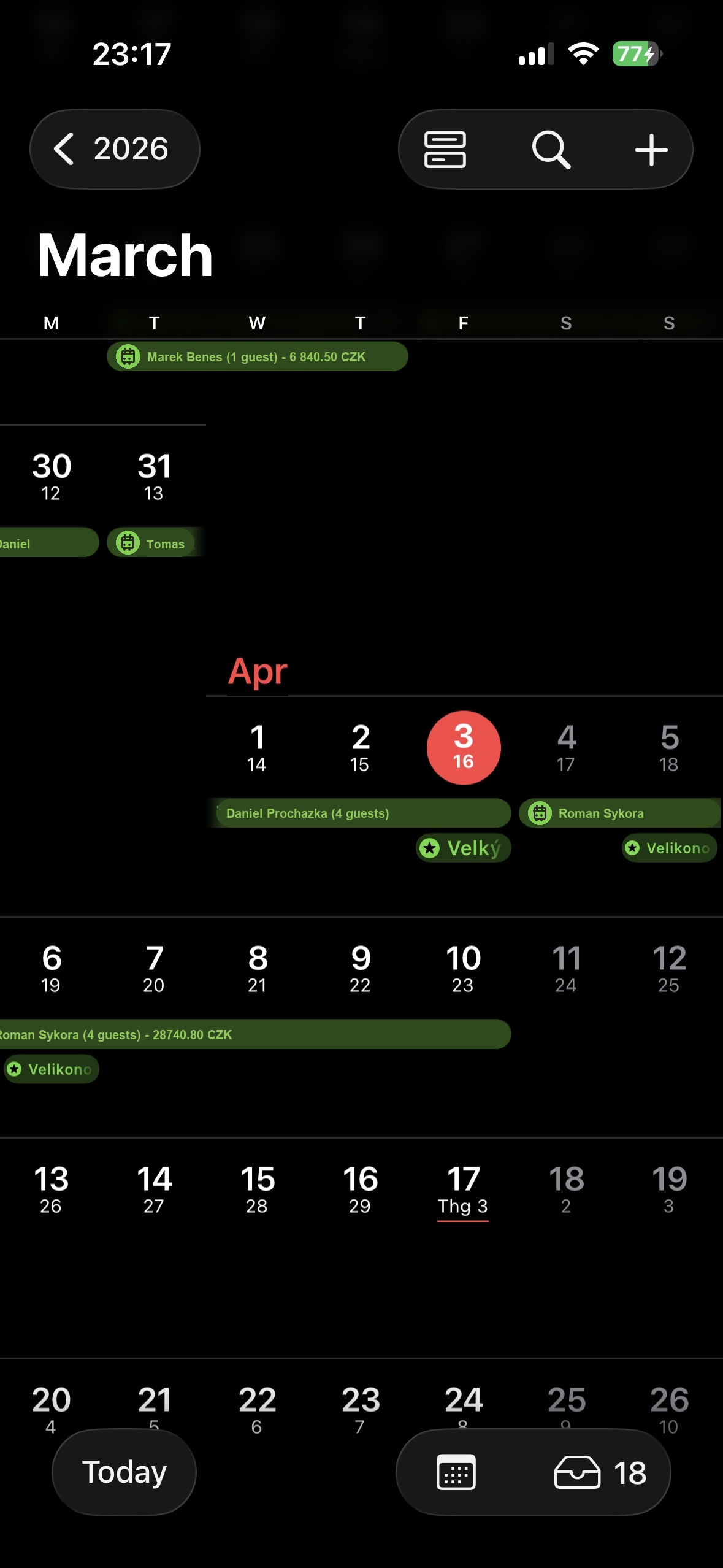
Reservations from Superhost displayed in iPhone Calendar
This is how reservations look after adding iCal export to iPhone Calendars. In the events you can see, for example, the name of the guest, the number guests or the price of the reservation according to the selected export settings.
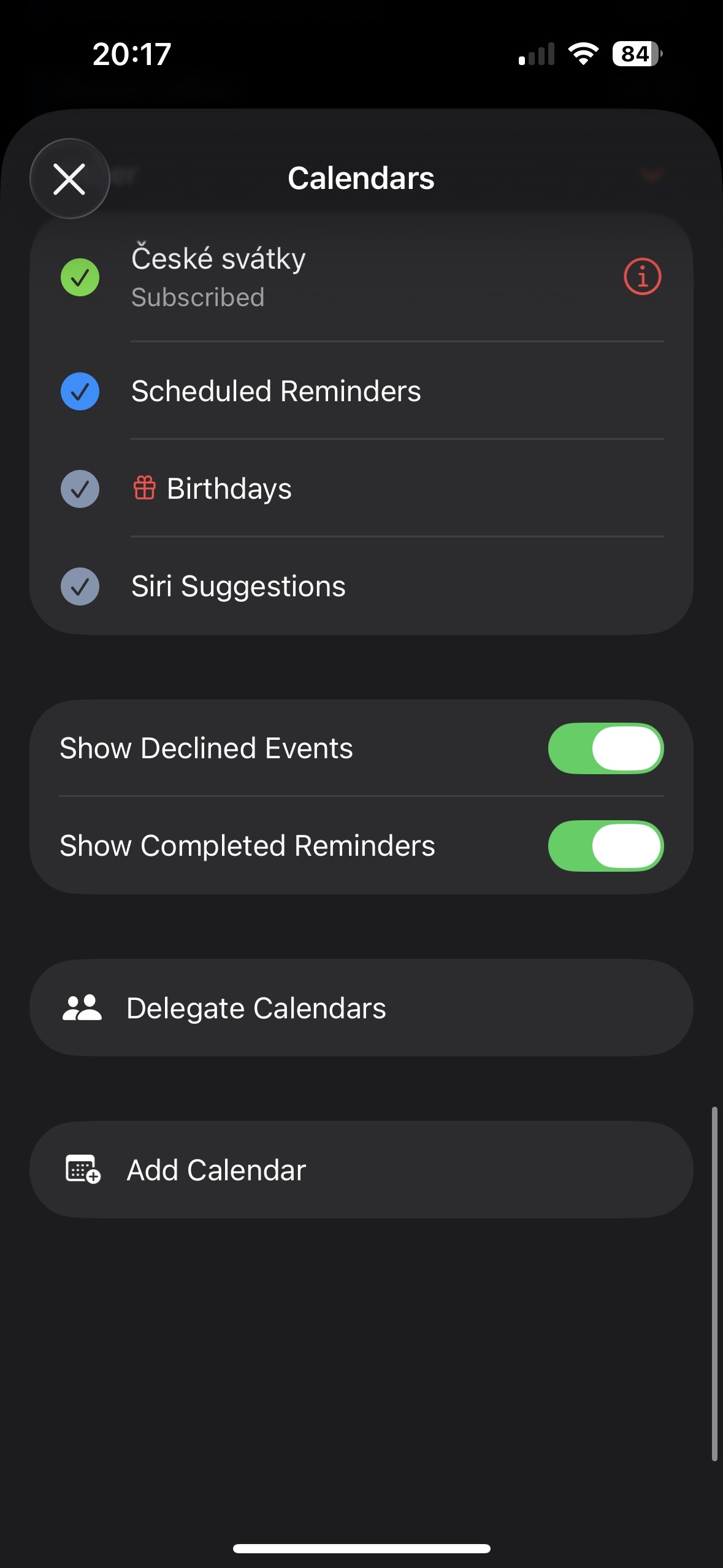
List of calendars in iPhone Calendar with Add Calendar option
In iPhone Calendar, you open the list of calendars and continue through Add Calendar, from where you then add a new subscription calendar.
Calendars button in iPhone Calendar
Use the calendars button below to quickly open an overview of all connected calendars and check that the new export is active.

How to add to Google Calendar

How to add to Android phone

Copy the iCal URL in Superhost

First, copy the export link of the calendar including in Superhost of all the parameters you want to display in event names.

Open Google Calendar on your computer

On your desktop or laptop, go to calendar.google.com and sign in with the same Google the account you use on your Android phone.

Add a calendar from a URL

In the left panel, click on + next to More calendars, select From URL a paste the copied iCal link.

Wait for the phone to sync

After adding to the web Google Calendar, the calendar after a while will also appear in the Google Calendar app on Android if you are login with the same account.

Desktop guide for Android users

The procedure is the same as for adding an external calendar to Google normally Calendar, but it's important to do it on your computer instead of your phone.

Direct link to the page: Open Google Calendar: Add calendar from URL

How to add to Google Calendar on a computer

Copy the calendar URL

Use the same iCal URL that Superhost generates for the selected one form of export.

Open Google Calendar

Go to calendar.google.com and sign in to your account.

Add a calendar from a URL

Click on + next to More calendars and select an option From URL.

Insert and confirm the subscription

Paste the URL and click on Add a calendar. Reservation will then appear automatically.

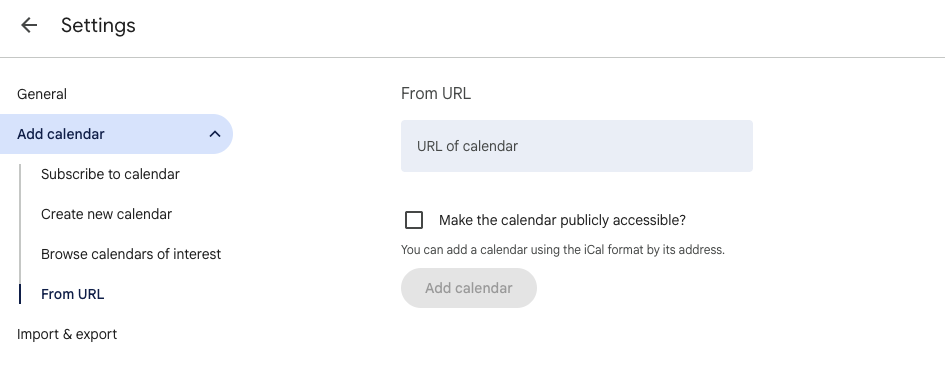
Google Calendar on the computer in the Add calendar section and the From URL option
Open Google Calendar on the web on your computer Add calendar → From URL and into the field URL of calendar you paste the copied iCal link from Superhost. Direct link: Add calendar.

Calendar content settings

You can choose what information should be displayed in the calendar. Mon copy a new URL every time you change the settings because the export parameters are reflected directly in the calendar address.

  • guest name
  • number of guests
  • reservation price
  • property name

What to watch out for

  • copy the new calendar URL after changing the export settings
  • some applications update iCal with a delay
  • the export is intended for an overview of reservations, not for full management of stays
  • if you manage multiple properties, it is worth switching on the name as well real estate

Verification and sources

The Android procedure in this article is based on the current official help Google Calendar for working with a calendar from a URL.

Related links

Overview Help Center Previous How to get and connect iCal from Airbnb and Booking Another one How the booking overview works
↑