What iCal can and can't do
What iCal normally transfers
- date of arrival and departure
- busy or blocked bookings
- basic event identification
What iCal doesn't usually transfer
- the price of the reservation
- amount of commission and fees
- complete guest details
When to use iCal
iCal makes the most sense in the beginning when you want to connect quickly calendar with real estate. If you want to work with more detailed ones reservation data, followed by email forwarding and automation.
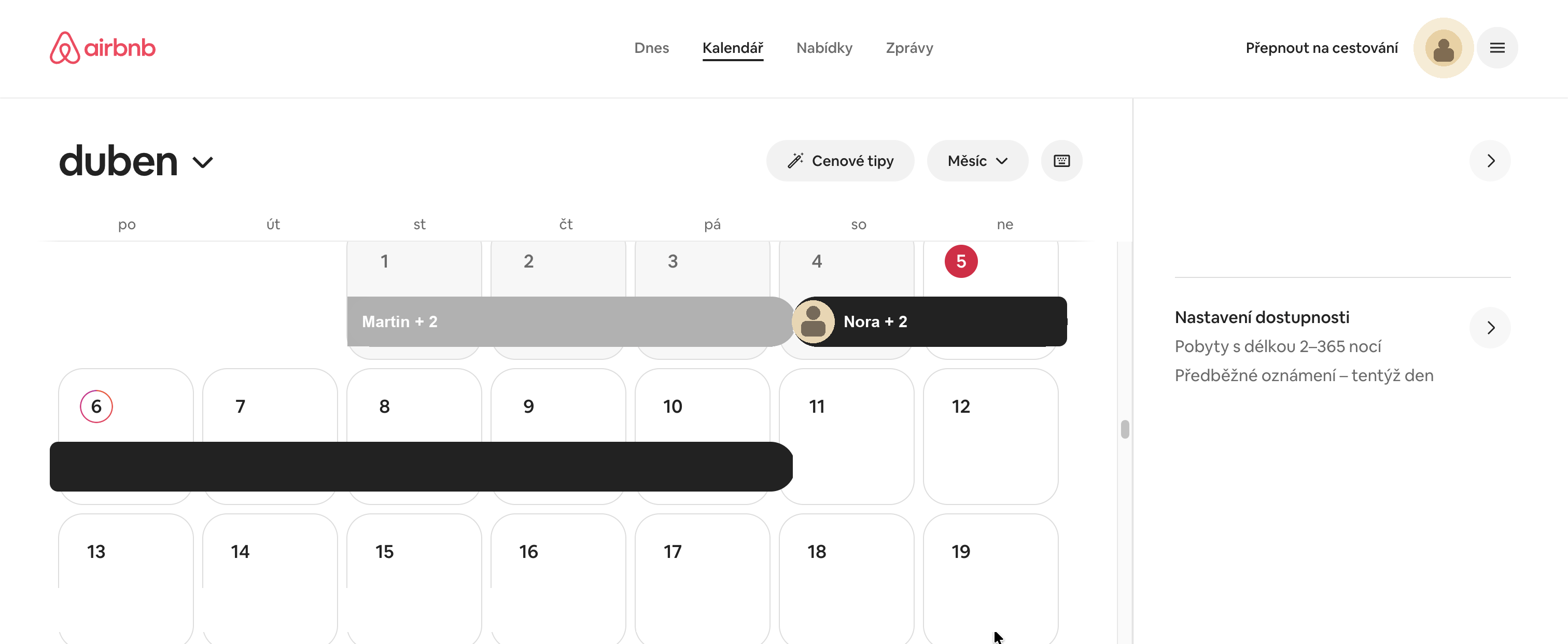
What it looks like in Airbnb
How to get iCal from Airbnb
Open Calendar on Airbnb
According to Airbnb's current official help, you start in the section Calendar and select the specific listing you want to connect
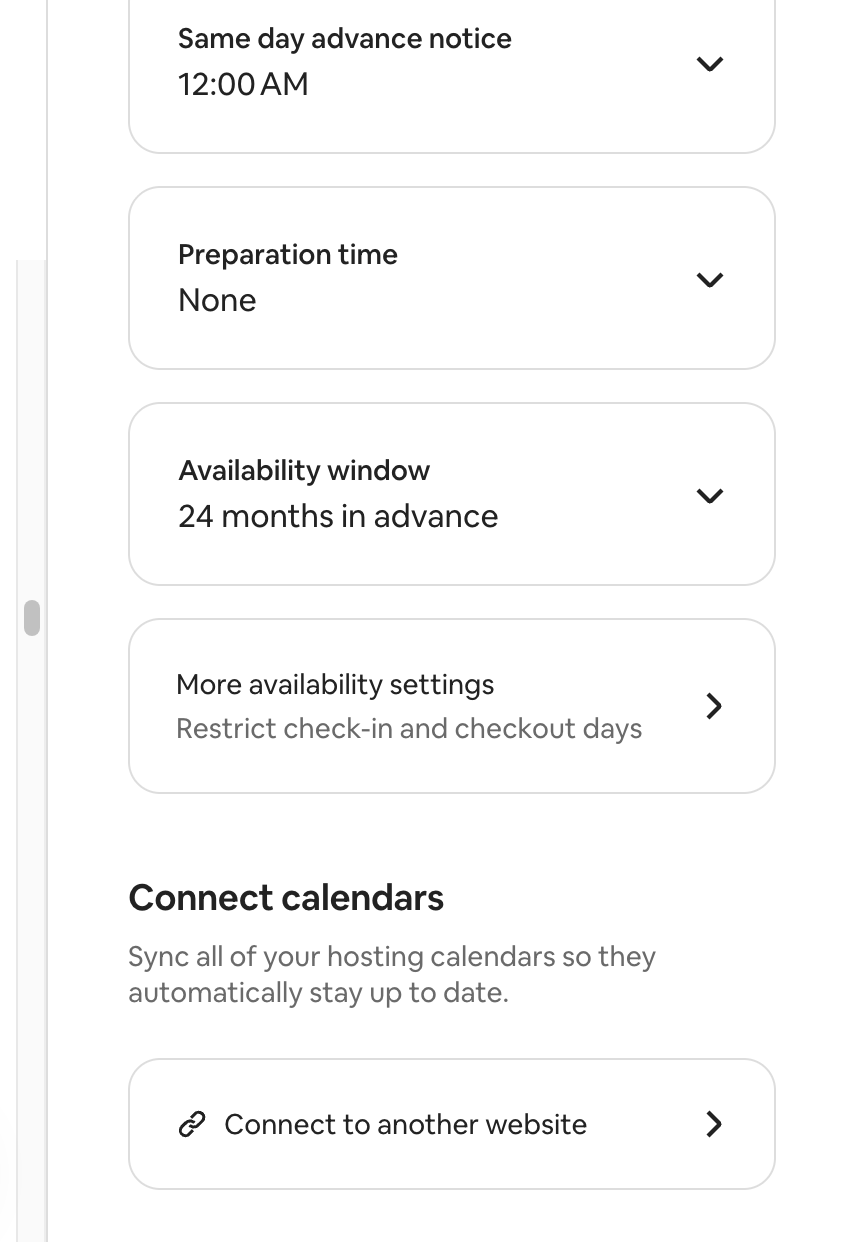
Go to Availability
Open the section in the calendar of the given listing Availability. That's where Airbnb is currently hiding connection with other calendars.
Select Connect to another website
Under Connect calendars click on Connect to another website. Airbnb will show you calendar link that you can export.
Copy the entire iCal link
Copy the entire address, not just part of it. Airbnb specifically states that for import on the other hand it should be a URL ending in .ics.
How to get iCal from Booking.com
Open the Booking.com Extranet
Log in to the Booking.com Extranet and open a specific object, that you want to link.
Go to Calendar or Calendar & Pricing
Depending on the current version of the Extranet, run either via Rates & Availability → Calendar, or directly to Calendar & Pricing.
Open Sync calendars
Open in the calendar Sync calendars and select Add calendar connection. This will open Booking wizard for connecting to another calendar.
Complete the calendar export
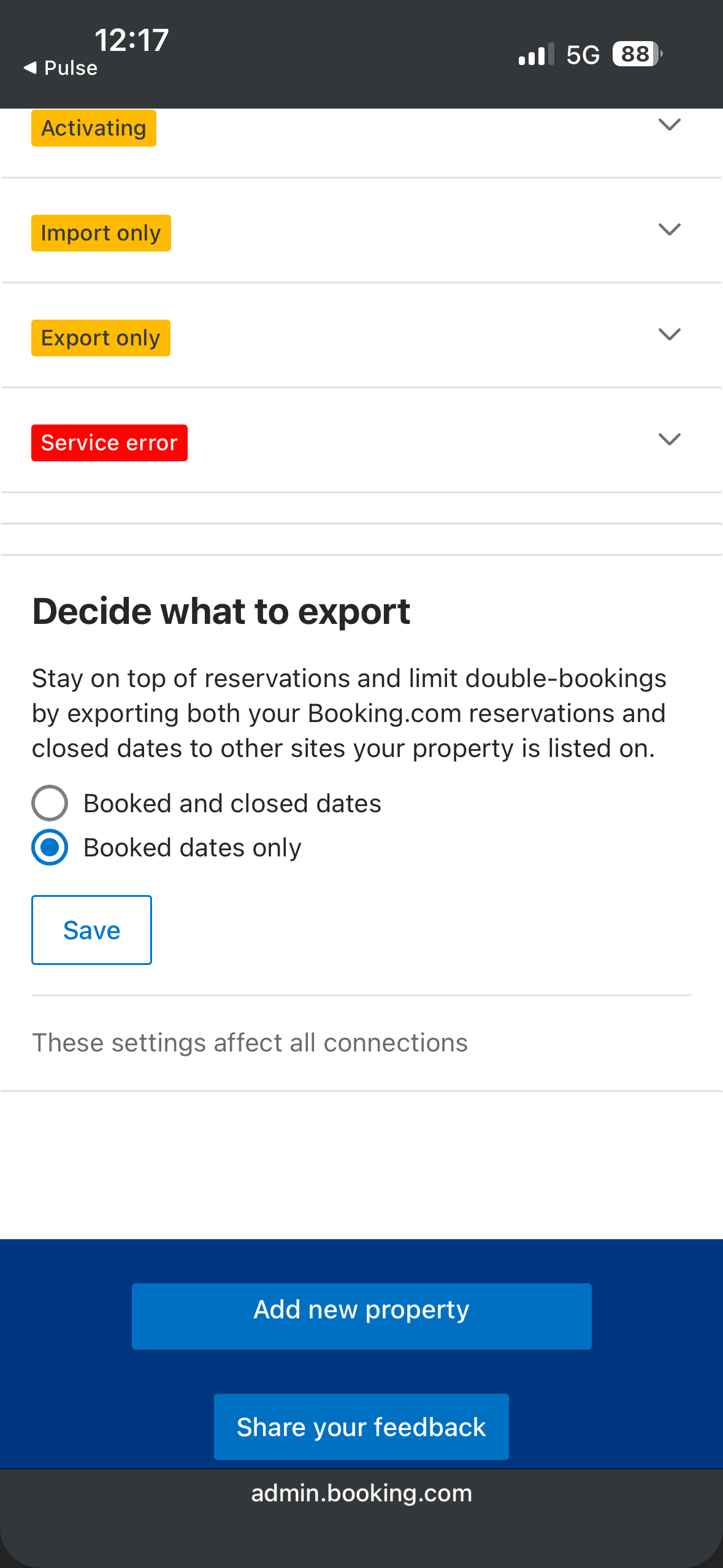
In the wizard, click on Copy link and copy your Booking.com iCal link. Under Export options it happens it is possible to choose whether you want to export only reserved dates or and closed dates.
Check for correct drive and link status
If you have multiple rooms or units, verify that you are taking iCal right away for the specific property you are connecting. After completion, in An extranet usually displays the connection status, for example Activating or OK.
What can you take away from it practically?
At Airbnb, thanks to the screenshots, we already have the current flow through confirmed Calendar and Availability settings. For Booking.com, follow the same logic: open the calendar, find calendar sync and copy the export link for the specific unit.
How to insert iCal into Superhost
Open the property detail
In Superhost, you open a specific property that you just you set.
Find the section for calendars or iCal
In the property settings, go to the section where the resource is added calendars.
Paste the iCal URL
Paste the copied address from Airbnb or Booking into the field for iCal and name the source clearly, e.g Airbnb or Booking.
Save the settings and check the synchronization
After saving, verify that the reservation or blocking has been written to property calendar.
What to watch out for
- always copy the entire iCal link, not just part of it
- for multiple units, make sure you match the correct calendar to the correct one real estate
- iCal does not transmit prices or complete financial information
- if nothing went wrong, check that the link is not invalid or old
- at Airbnb today, count on the fact that the official route leads through Calendar → Availability → Connect calendars
- at Booking.com, the names of the sections differ according to the version of the Extranet, but you currently move most often through Calendar, Calendar & Pricing a Sync calendars
Verification and sources
This article is a practical guide according to the normal procedure in Airbnb and Booking.com. The interface of the platforms can change, so it is good to count with minor differences in section names.
Do you want to make reservations on your phone?
If you already use iCal or have the export ready, you can View bookings in Apple Calendar, Google Calendar or others application that supports iCal.
Open the calendar guide on your phone Follow-up procedure for Apple Calendar, Google Calendar and other applications.Do you want to automate other work?
iCal will help with the calendar. But if you don't want data from reservations rewrite manually, it is followed by automatic processing of e-mails and communication with guests.
Automate the completion of data from e-mails Email forwarding will help retrieve data from reservation emails so you don't have to fill them in manually. Automate communication with guests Set up automations for messages and routine steps around stays.